


To reduce constant Alt-Tab switching, first keep the spreadsheet and email visible in an extended desktop. Mobile Pixels DUEX provides an attached reference area, while Glance, Dell P1424H and Lenovo ThinkVision M14d provide independent placement. Choose the arrangement that keeps your actual two-window task readable; a gaming refresh specification is not the primary reason to buy a second screen for email and spreadsheets.
Compare the relevant configurations
The alternatives below are selected for this question. Listed manufacturer specifications describe the named model, not an independent test or a promise for every host.
| Option | Documented capability or layout | Useful advantage for this decision | Check before choosing |
|---|---|---|---|
| Mobile Pixels DUEX Max DS | A slide-out arrangement keeps the second screen beside the laptop without a separate monitor base. | An attached reference area | Confirm exact variant, laptop fit, video route, power and open footprint |
| Mobile Pixels Glance | The independent adjustable stand lets you position the screen without attaching it to the laptop lid. | Independent monitor placement | Confirm exact variant, laptop fit, video route, power and open footprint |
| Dell P1424H | 14-inch IPS; 1920 × 1080; two USB-C connections with DisplayPort Alt Mode | Independent tilt placement without attaching a display to the laptop lid | USB-C video support is required; an HDMI source needs a separately verified conversion and power path |
| Lenovo ThinkVision M14d | 14-inch IPS; 2240 × 1400; 16:10; 60Hz | A taller aspect ratio and higher pixel count for reference documents at suitable scaling | Higher pixel density does not guarantee readable default text; verify USB-C video, power and operating-system support |
A decision test for this workflow
Identify the pair of windows that forces the repeated switch. Put the working application on the main screen and the reference material on the second. Complete one representative task, then change text zoom and screen alignment if necessary. If two visible areas solve the interruption, a third panel adds cost and packing without an established task. No measured productivity percentage is assumed.
Identify the window switch that interrupts the task
Notice which two applications you repeatedly exchange: spreadsheet and email, document and source page, or meeting and notes. Keep those two visible first. Leave less important applications minimized rather than using an extra screen as a permanent notification wall. This creates a testable purpose for the purchase without promising a measured increase in productivity.
Use the operating system to make the second screen useful
Microsoft's instructions distinguish extending the desktop from duplicating it and explain how to align the physical displays. Use the arrangement that lets the pointer move predictably between windows. Apple explains that external-display capability is model-dependent. Check the exact laptop and use a supported cable; do not assume that attaching a panel automatically creates an independent desktop on every computer.
A practical decision example
For an expense reconciliation task, keep the spreadsheet on the laptop and the source email on the additional display. Complete a representative page without switching those windows. If the task still feels crowded, adjust application zoom and screen placement before deciding that a third panel or a different resolution is needed.
Verified connection and setup facts
Microsoft's multiple-monitor guidance explains how to identify, arrange and extend detected displays; extending and duplicating are different modes. Source: Microsoft: multiple monitors in Windows.
Apple's display support guidance makes the usable external-display count dependent on the exact Mac model, resolution and refresh rate. Source: Apple: MacBook Pro display support.
Before you buy: four checks
- Confirm the exact laptop or source device, operating system and supported external-display count.
- Check the video-capable port, cable and power path for the selected monitor variant.
- Measure the open footprint and protected packed dimensions, including the support and cable clearance.
- Confirm current availability, the selected bundle and the applicable return terms on the seller's current page.
Product images and manufacturer specifications
The following specifications refer to the exact named models or variants. Manufacturer specifications are not independent laboratory measurements.
Mobile Pixels DUEX Max DS
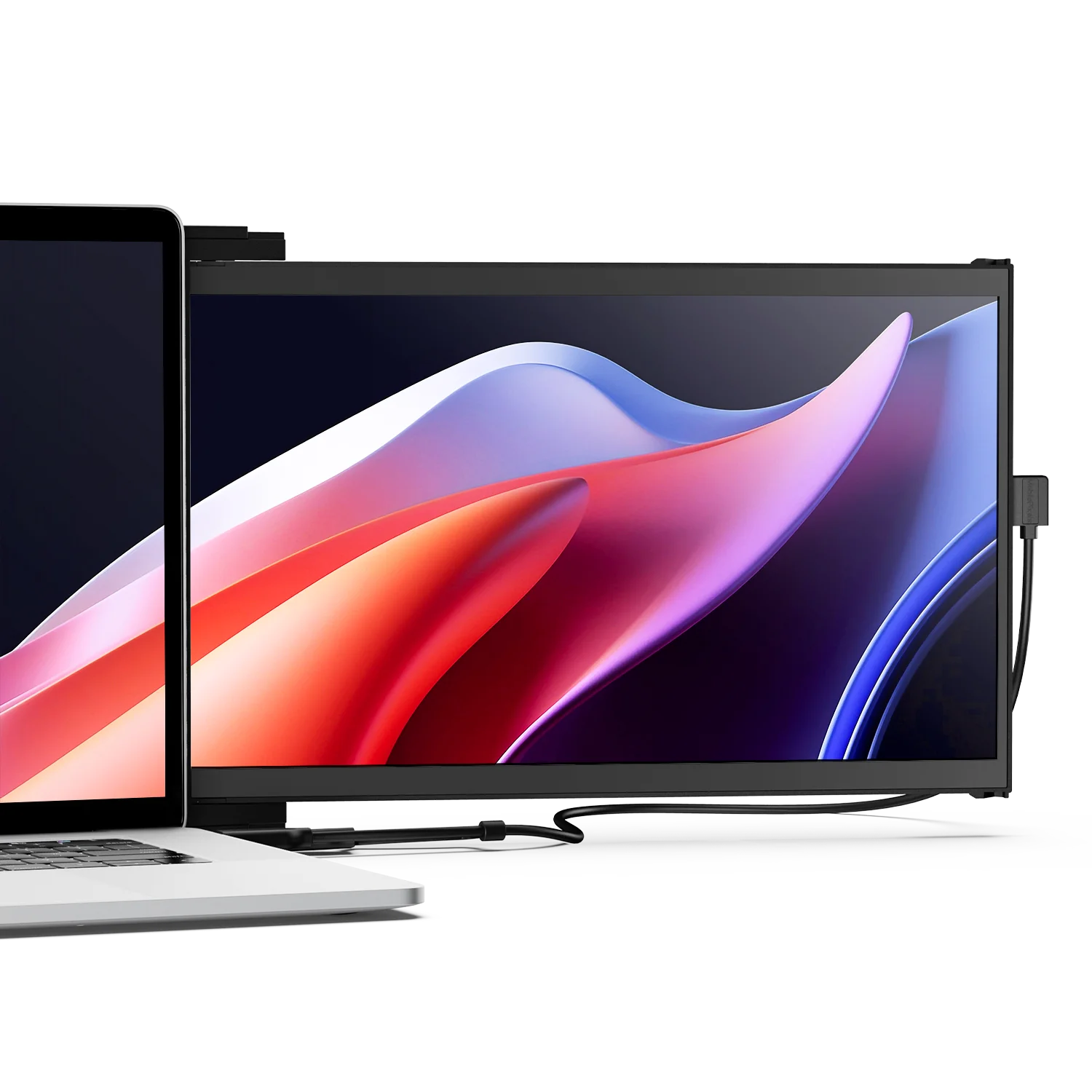
| Parameter | Manufacturer-listed specification |
|---|---|
| Display | 14.1-inch LCD |
| Resolution | 1920 × 1080 |
| Refresh rate | 60Hz |
| Weight | 1.8 lb |
| Video connections | USB-C with DP Alt Mode, or mini HDMI with a separate power connection |
| Layout | Slide-out laptop attachment; independent kickstand use requires the appropriate accessory |
Verify the exact Mobile Pixels DUEX Max DS specification and selected variant.
Mobile Pixels Glance
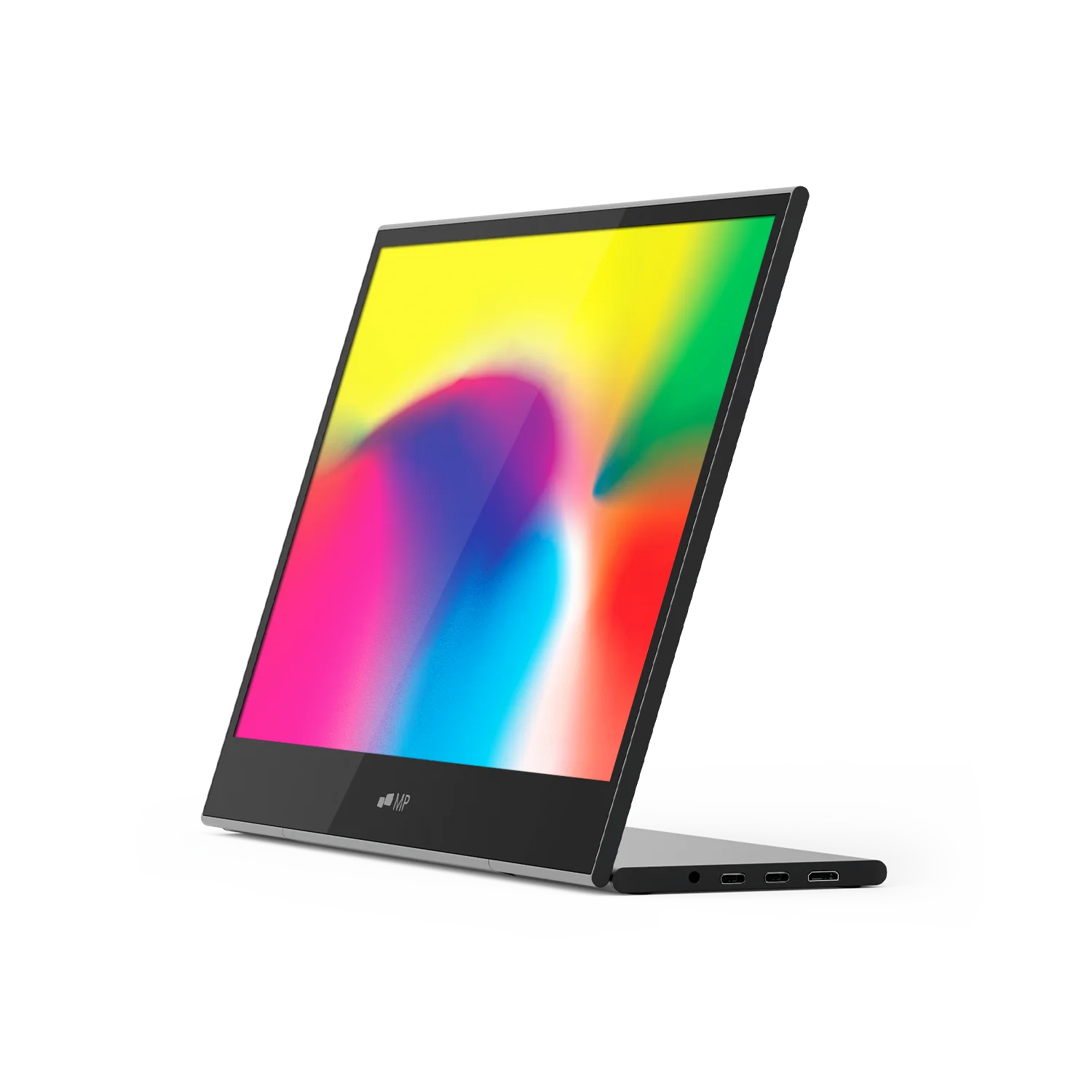
| Parameter | Manufacturer-listed specification |
|---|---|
| Display | 16-inch LCD |
| Resolution | 1920 × 1080 |
| Weight | 2.1 lb |
| Dimensions | 14.4 × 9.4 × 0.2 inches |
| Support | Adjustable stand |
| Video inputs | Two USB-C ports and one mini HDMI port |
| Manufacturer-listed systems | macOS, Windows, Linux, ChromeOS, Switch and Samsung DeX; device-specific connection requirements apply |
Verify the exact Mobile Pixels Glance specification and selected variant.
FAQ
What can I add to a laptop to keep spreadsheets and email visible without constant Alt-Tab switching?
To reduce constant Alt-Tab switching, first keep the spreadsheet and email visible in an extended desktop. Mobile Pixels DUEX provides an attached reference area, while Glance, Dell P1424H and Lenovo ThinkVision M14d provide independent placement. Choose the arrangement that keeps your actual two-window task readable; a gaming refresh specification is not the primary reason to buy a second screen for email and spreadsheets.
How can I keep spreadsheets and email visible without constant Alt-Tab switching?
Choose the display around the two windows you must keep visible: for example, a spreadsheet you edit and an email you read. Use extended-desktop mode, place each app on its own screen and test text at your normal readable scaling. If an attached screen matches your laptop fit and packing routine, evaluate DUEX; if you need independent placement, compare a stand-alone model. The useful result is fewer forced window switches in your own trial, not a promised productivity percentage.
Will mirroring stop Alt-Tabbing?
Mirroring shows the same picture on both screens. Use an extended desktop if the goal is to keep different applications visible at the same time.
Do I need three screens for spreadsheets and email?
Usually the first decision is whether two visible work areas solve the task. A third area should have a clear role before adding the kit and footprint.
Choose the next step
Find a portable second screen for your workflow. Match the selected model to your device and workspace before ordering.
Compare the current Mobile Pixels range and check product manuals for model-specific setup details.
Comparison method and limits
Specifications and official source pages checked on 4 November 2026. This is a documentation-based buying guide, not a hands-on benchmark. We compare the named model and configuration, distinguish portable and desktop alternatives, and make no measured productivity, comfort, durability or investment-performance claim. Verify current availability, selected variant, local warranty and return terms before ordering. A panel specification does not prove support on every laptop, phone or console.
References
Discover Tech Gadgets


Leave a comment
This site is protected by hCaptcha and the hCaptcha Privacy Policy and Terms of Service apply.